Keeping
a crew.
Everything from the first paste to a crew that learns overnight. Read it in order, or jump to a chapter.
Install
You need Linux with a systemd user session, Herdr (open it once first), and python3, curl and rsync. Paste this in a terminal:
cd "$(mktemp -d)" && u=https://github.com/denonmaryland/project-pals/releases/download/v0.3.0 \
  && curl -fsSLO "$u/SHA256SUMS" && f=$(awk '{print $2}' SHA256SUMS) \
  && curl -fsSLO "$u/$f" && sha256sum -c SHA256SUMS \
  && tar xzf "$f" && cd "${f%.tar.gz}" && ./install.sh
It downloads Project Pals 0.3.0, checks it against the release's SHA256SUMS (it stops if they don't match) and runs the installer. Then switch Herdr to the pals layout with Ctrl+Shift+L.
Prefer to read everything first? Clone it and run the installer yourself:
git clone https://github.com/denonmaryland/project-pals && cd project-pals
./install.sh            # or ./install.sh --no-helpers for just the layout, mods and commands
No systemd user session? The install still works, but the background helper is skipped: messages are typed in directly, and routines and callbacks don't run. Everything the installer changes →
Your first pal

Each Herdr space is a pal: a project with a brain. Open the gear in the status bar and choose Hire, or from a terminal:
pal hire Juniper --harness claude --model sonnet --folder ~/projects/shop
Pick its brain (Claude Code, Codex, Grok CLI, Gemini CLI, opencode, Hermes…), a model (cheap helpers can run on Haiku), a role, its project folder and its first channel. It gets a name, a pocket pet and a terminal.
The trust question
The first time Claude Code runs in a folder it asks "Is this a project you created or one you trust?" and waits. Project Pals never answers it for you. You get a notice, a toast you can click, and a "Waiting on" line in pal overview. Open the tab and choose Yes, I trust this folder or No, exit.
Channels
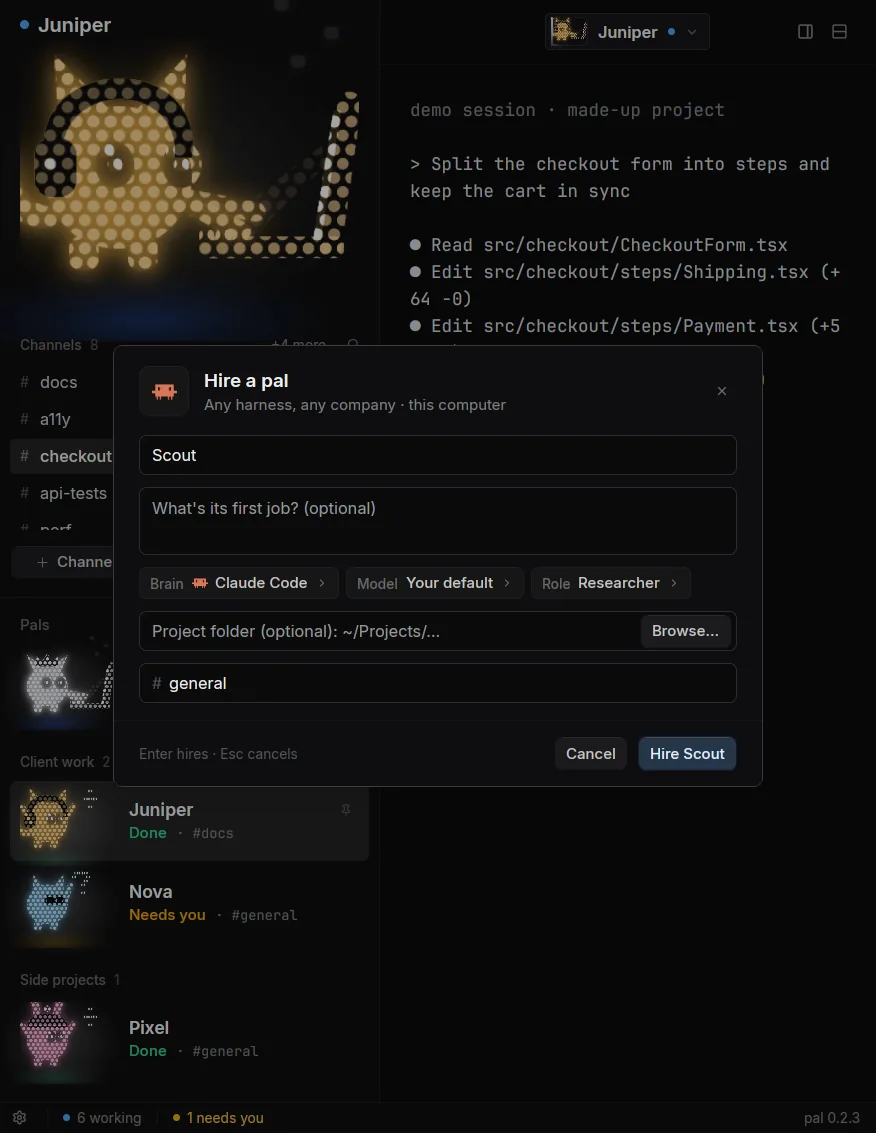
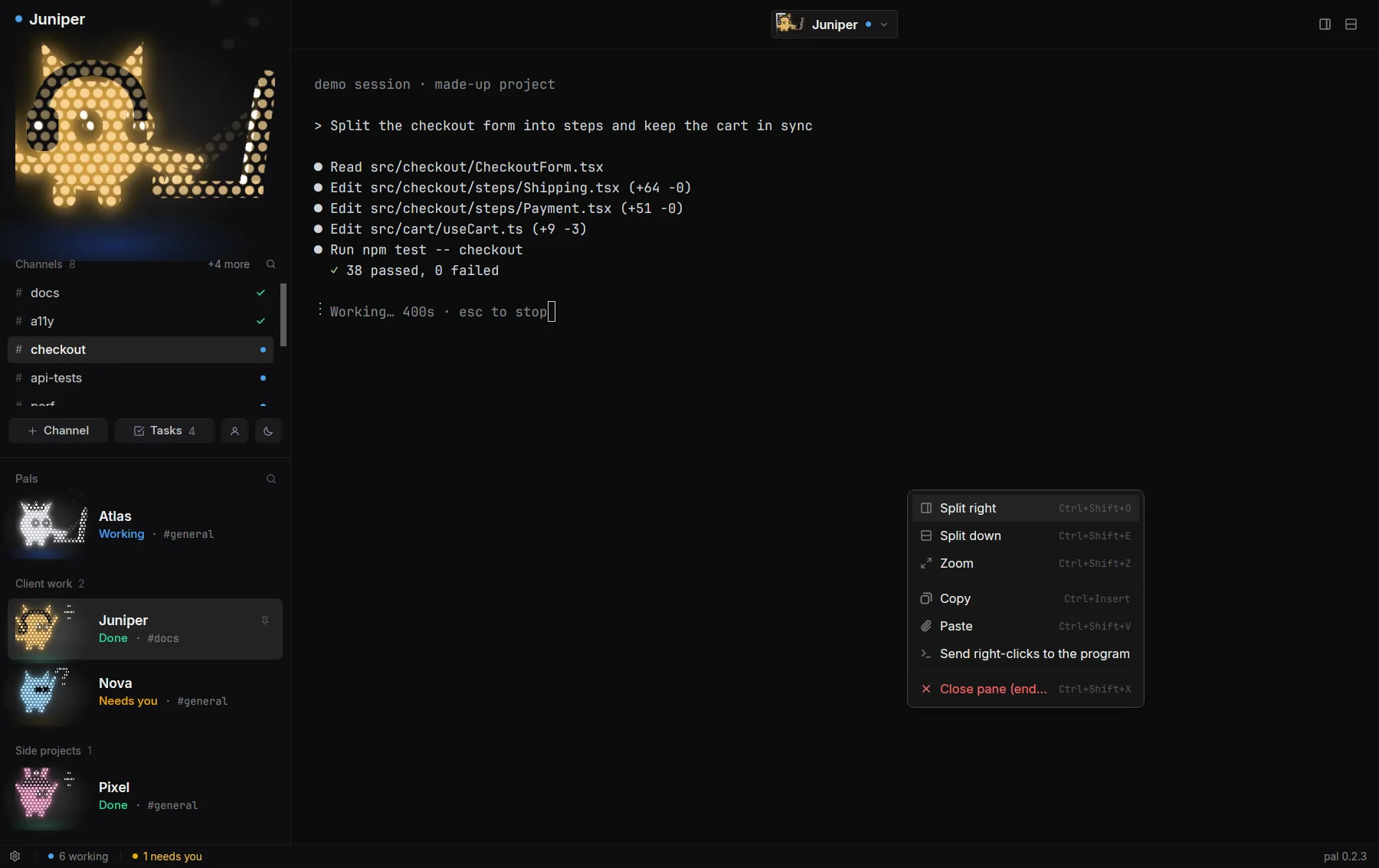
A pal's tabs are its channels, each one the agent's own terminal. Click through them and the terminal follows. Split right or down from the header or with a right-click, and answer the agent's questions right there.
From 0.3.1 they're called topics Coming in 0.3.1, with a pal topic command; pal channel keeps working.
Give a channel its own git branch and folder with --worktree, then review what it changed and land it when you're happy:
pal channel Juniper checkout --worktree --brief "Split the checkout form into steps"
pal diff Juniper#checkout --stat
pal land Juniper#checkout --check "npm test"   # merging needs your click
The sidebar
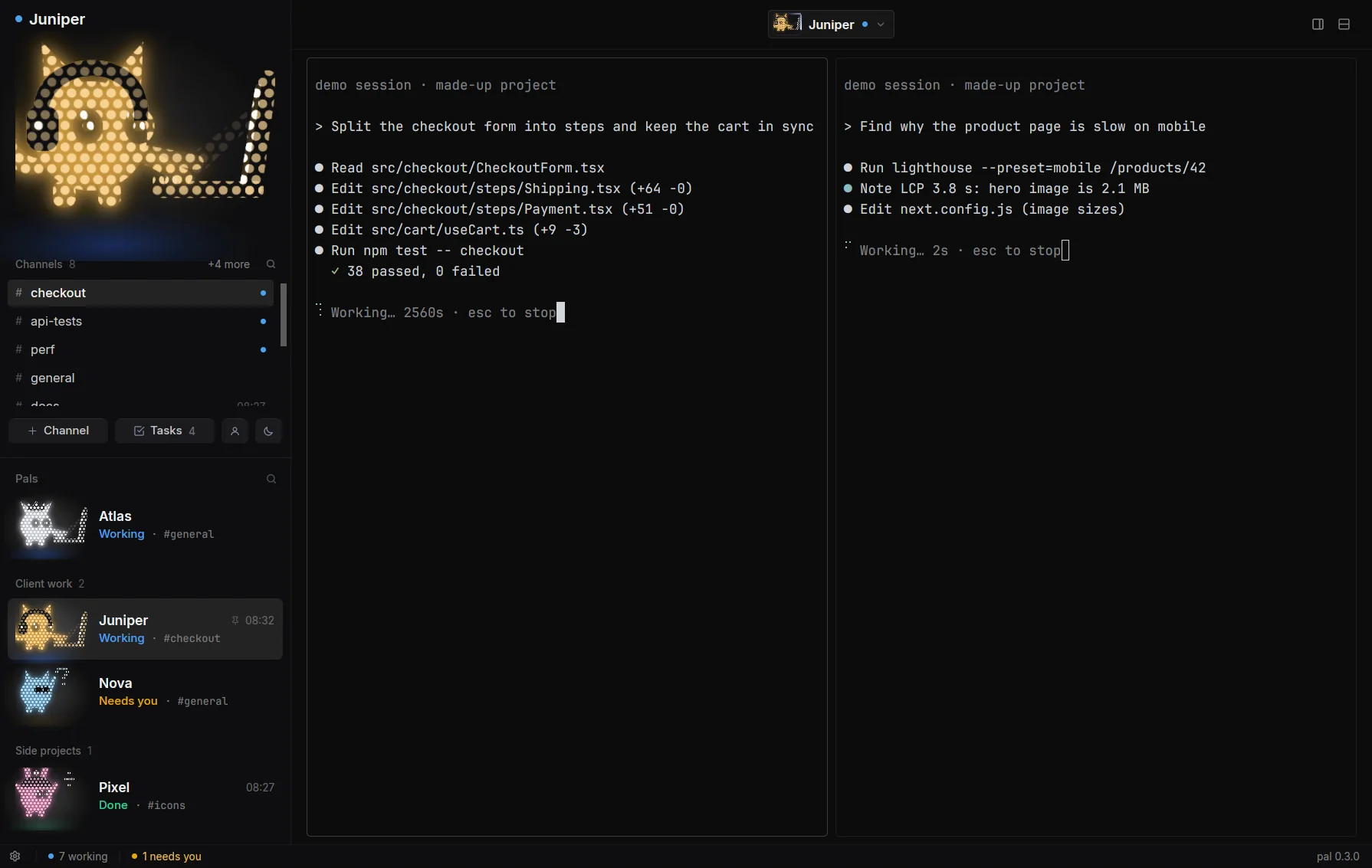
The shown pal sits on top with its pet, its channels and quick actions. Below it is every pal, with its state first and in colour. Fold pals into groups you name ("Client work", "Side projects"), pin the ones you watch, and drag pals and channels into any order. Right-click a pal for its profile, mission, look, a new channel or sleep.
Coming in 0.3.1 Project Pals settings will let you pick a pal list style (big pets, or nine compact looks) and a working indicator (the classic dot or one of 30 small animations), and a pal that's working or needs you can show its live topics underneath.
Tasks and routines
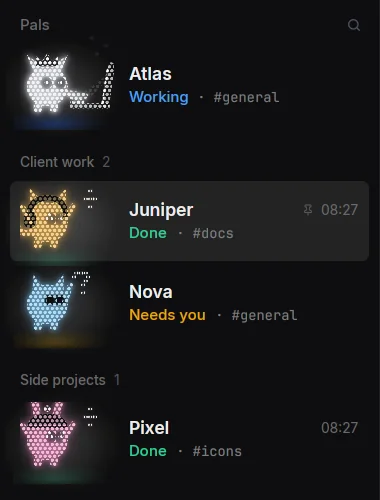
Every pal has a Tasks button. Write a task, paste or drop in screenshots, press Enter: the pal is told when its current turn ends, so it picks it up next. It's a real task on the shared board, marked as from you.
pal task add "Tidy the README screenshots" --for Juniper
pal task ls            # ready · claim · note · block · done
Routines run on a schedule: pal routine add Juniper "weekdays 09:00" "Check the overnight CI runs". The schedule can be every 2h 10:00-20:00, mon,fri 4pm or cron.
The head pal
One pal oversees the rest (it's called Orchestrator until you rename it with pal settings head "Name"). Tell it what you want; it hires, splits the work into tasks, hands them out and checks in. You can do all of that yourself too:
pal overview            # pals, channels, tasks, approvals, what's stuck
pal tell "Juniper#checkout" "Keep the cart in sync"
pal ask Juniper "Which tests cover checkout?"
pal peek Nova           # read a pal's screen, and what it's waiting on
Pals can also work together in rooms: one shared conversation for work that crosses projects.
Profiles and the Vault
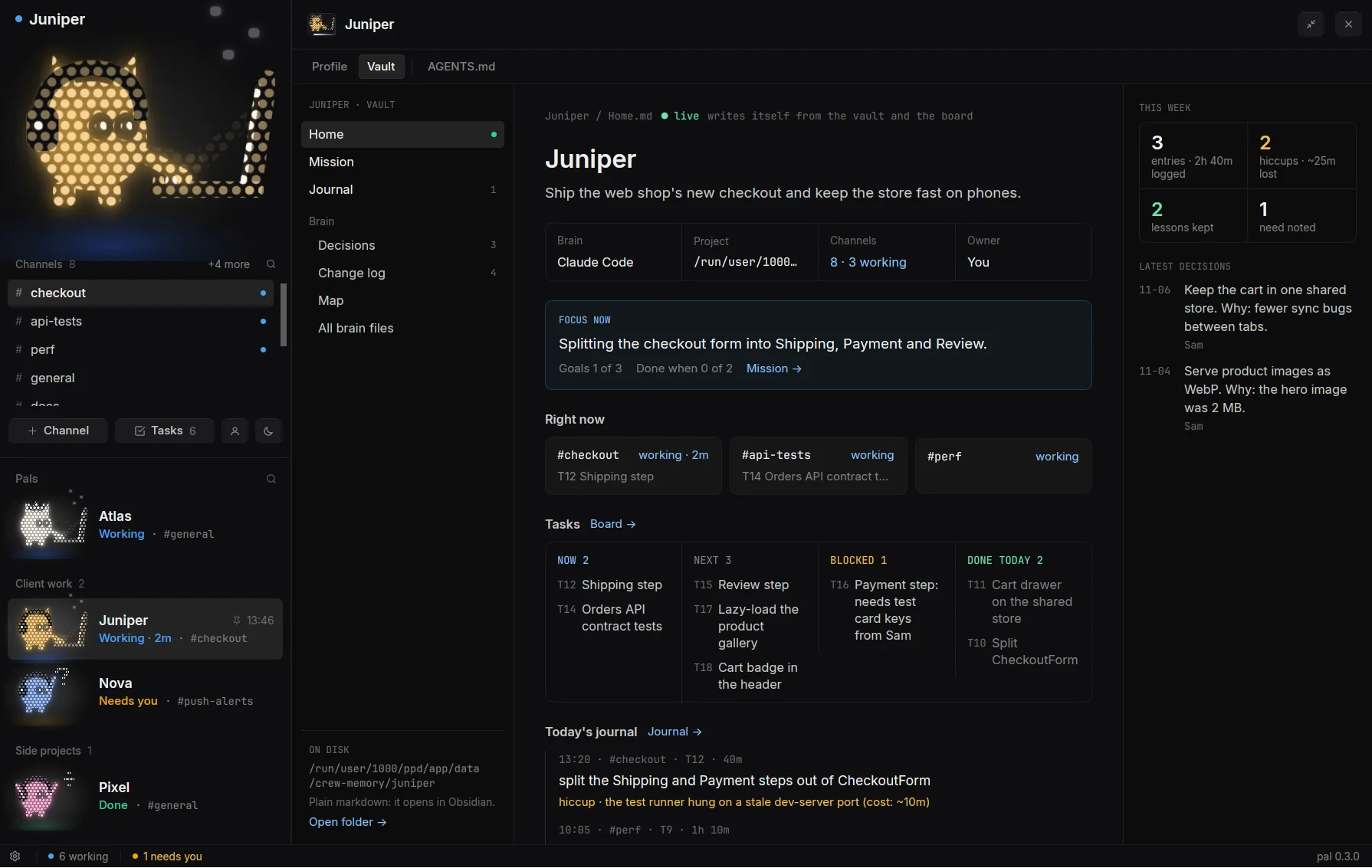
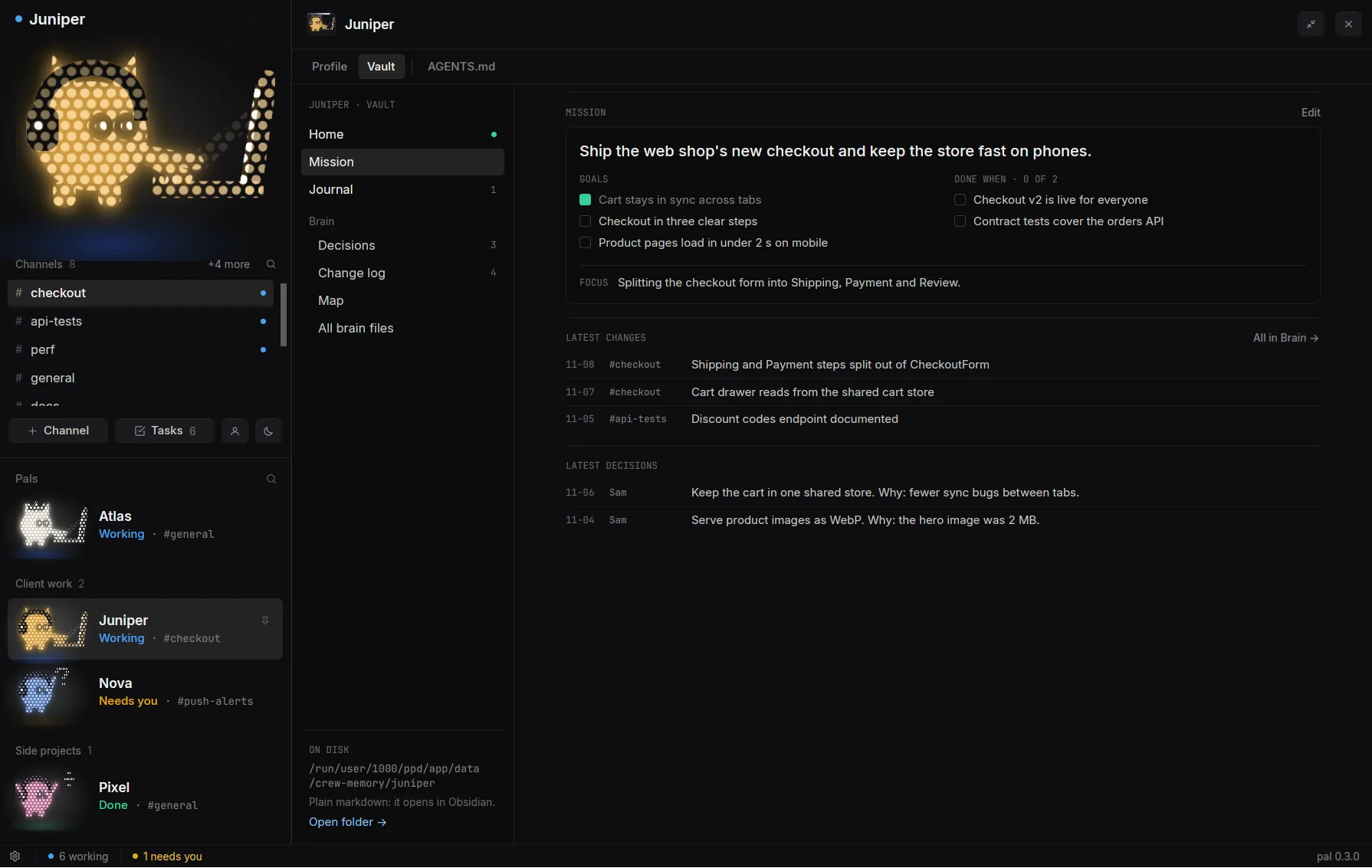
Open a pal's profile from its header chip. Profile shows its facts, channels, memory, routines and tasks. The Vault is its notes, as plain markdown on disk (so it opens in Obsidian too): a Home note that writes itself as work lands, with its Mission, Journal and Brain beside it. The AGENTS.md tool lints what Claude Code loads, and writes a fix only after you've seen the diff and clicked.
A pal proposes its own mission (pal mission propose); it lands in your Inbox, and once you accept it every new session starts with it.
Memory and skills
Pals remember what future sessions should know (pal remember "…", or --user for something about you). A session always starts with the pal's pinned note, its main memory and what it knows about you, then the newest notes.
When a pal works out a procedure worth repeating it saves a skill (pal skill save), and every pal can use it.
The approval gate
For Claude Code pals, the commands that leave your machine (pushes, merges, releases, deploys, publishing) and edits to a project's AGENTS.md or CLAUDE.md stop and wait. The request shows up in your Inbox with an ID; Approve lets that one command through once. An approval that isn't used within 30 minutes expires.
pal approvals           # what's waiting on you
pal approve a-3f9c2e     # or: pal deny a-3f9c2e "not yet"
Only your click counts. A message from another pal is never approval. And the gate is a speed bump, not a sandbox: it sees the commands a pal types, and a pal with permissions bypassed can still edit files. More on what it does and doesn't do →
The dream loop
After real work, a pal adds a line to its notebook: what it did, what got in the way and what that cost, and what it learned. The week's lessons open each new session.
pal notebook "did: split the checkout form" --hiccup "tests needed the dev DB (cost: ~15m)" --lesson "start the DB first"
Every night at 03:30, and whenever you run pal dream, the head pal groups the crew's hiccups into patterns. One that shows up in two or more pals, three or more times, or costs 30 minutes or more becomes a proposal: a shared skill, a rule for a pal's AGENTS.md, a task, or a note. Each lands in your Inbox to approve or decline, and the loop keeps watching whether the hiccup comes back.
The Desk Coming in 0.3.1
The next release turns every message into something you can follow. Not in 0.3.0 yet:
- Every pal has a desk. A tell, a question, a task or a callback becomes a card with a status (queued, seen, working, done, held, needs you), so you see when a pal actually got it, and its result.
- Messages between steps. Claude Code pals get cards while they work, without typing into their input box; what you've half-typed stays put.
- Home. Click your head pal for one list of everything that needs you, one decision at a time, with the asker's recommendation.
- MUSE, an idea partner that turns half-formed ideas into card drafts. Nothing goes out until you click Send.
- Only you speak as you. A message headed "[from you]" needs your click in Project Pals.
Updates
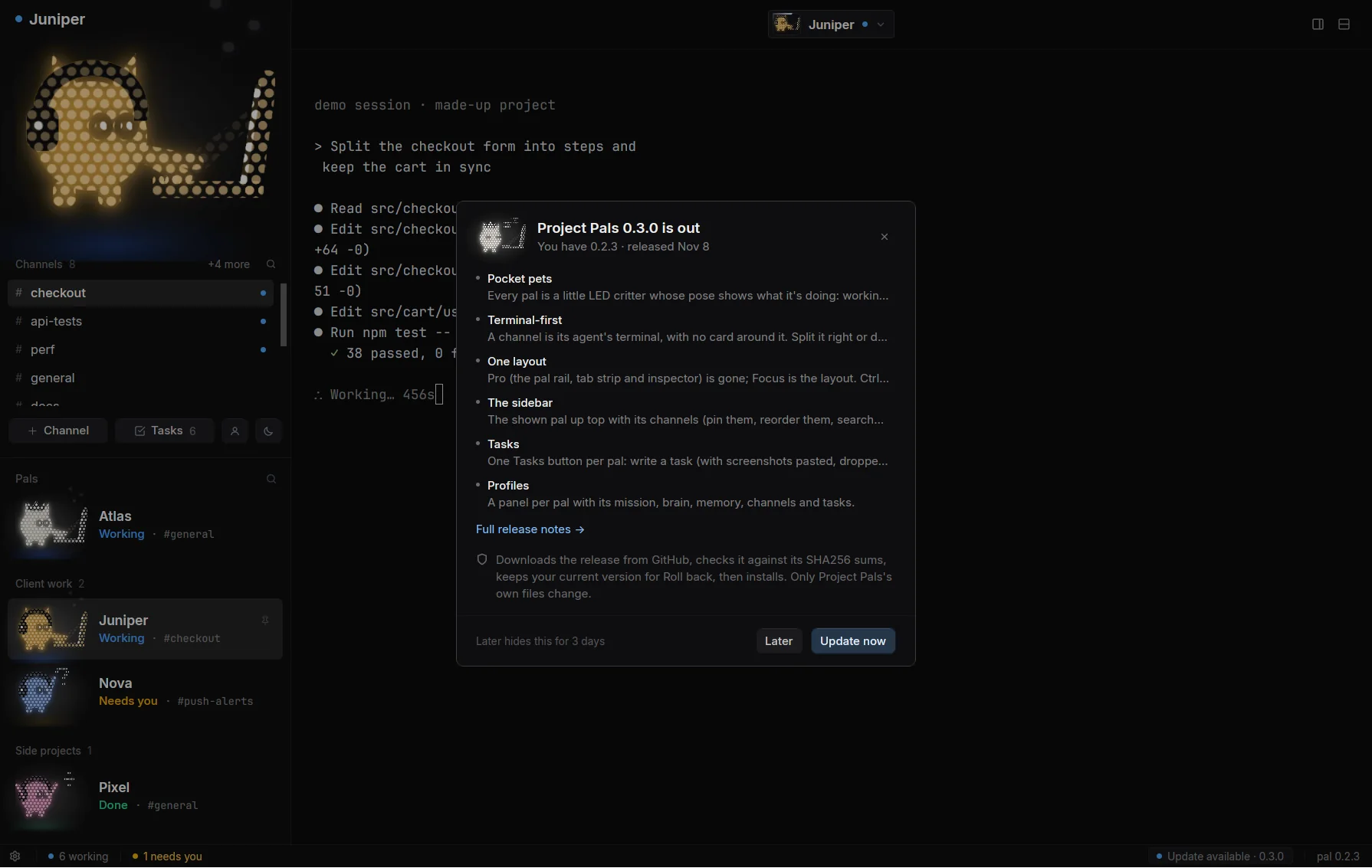
When a release is out, a quiet Update available pill shows in the status bar. Click it for the highlights, then Update now or Later. Updates come only from the project's GitHub releases, must match its SHA256SUMS, and replace only Project Pals' own files: your pals, rooms, memory, routines and tasks are never touched. The previous version is kept for Roll back.
pal version
pal update check | apply | rollback
Commands
Every command has --help. Pal matches a pal's name or its start; Pal#channel picks one of its channels.
| pal overview · team · feed | The crew at a glance; what happened since you last looked |
| pal hire <Name> | Hire a pal: --harness, --model, --role, --folder, --task |
| pal channel <Pal> <name> | A new channel; --worktree gives it its own branch and folder |
| pal tell · ask · peek | Message a pal, wait for its answer, or read its screen |
| pal task add · ls · done | The shared task board |
| pal routine add · ls | Work on a schedule |
| pal diff · land | Review and merge a worktree channel (merging needs you) |
| pal mission · brain · agents | A pal's mission, its brain notes, its project's AGENTS.md |
| pal notebook · dream | How the work went; the dream loop's patterns and proposals |
| pal remember · memory · skill | Memory and shared skills |
| pal approvals · approve · deny | What's waiting on you |
| pal settings | Owner, head pal, and whether new pals bypass permissions |
| pal version · update | What's installed; check, apply or roll back |